
 €590
€590
Module 01 · Self-study web modules
Foundations of Digital Pathology
Whole-slide imaging, viewer workflow, quality control of scans.
€490VAT included · per seat
- Format
- Self-study web modules
- Extent
- 9 h · 14 lessons
- Access
- 12 months
- Assessment
- 30 questions on annotated whole-slide images
- Delivery
- Access details by email within 24 h
Cancel for a full refund until access is delivered. Withdrawal policy.

§1
Overview
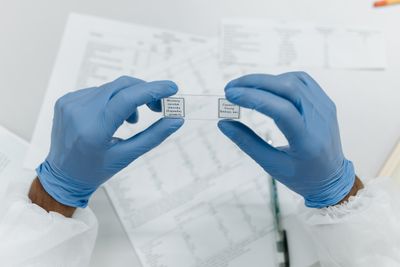
How a glass slide becomes a whole-slide image, what is lost and gained on the way, and how to read a digital slide with the same discipline as at the eyepiece. Scanner classes, resolution and z-stacks, colour calibration, viewer navigation patterns, artefact recognition and a QC checklist you can adopt in your own lab.
§2
What you will be able to do
- Read a whole-slide image at diagnostic speed without missing the periphery or the low-power architecture
- Recognise scanner, focus and stitching artefacts and know which ones call for a rescan
- Run a validation study for digital primary diagnosis that satisfies the CAP guideline
- Specify storage, integration and viewer requirements for a scanner tender
§3
Syllabus
- Scanner types and image pyramids
- Colour, focus and stitching artefacts
- Viewer ergonomics and annotation
- Validation of a digital workflow (CAP guideline walk-through)
- Storage, DICOM-WSI and integration with LIS
§4
Lesson list
| 01 | From glass to pixels: how a scanner builds the image pyramid | 38 min |
| 02 | Resolution, magnification and the myth of “40×” | 31 min |
| 03 | Colour: stain variability, calibration and ICC profiles | 42 min |
| 04 | Focus, z-stacks and the thick-section problem | 35 min |
| 05 | Artefact atlas: stitching, banding, dust, tissue folds | 44 min |
| 06 | Viewer ergonomics: navigation patterns that save minutes per case | 39 min |
| 07 | Annotation, measurement and sharing a region of interest | 29 min |
| 08 | Validation study design (CAP 2021) — protocol walk-through | 52 min |
| 09 | Validation: washout period, case selection, statistics | 41 min |
| 10 | Storage economics and retention policy | 33 min |
| 11 | DICOM-WSI, vendor formats and the conversion trap | 37 min |
| 12 | Integration with LIS and worklists | 35 min |
| 13 | Remote sign-out: regulation, ergonomics, display requirements | 40 min |
| 14 | QC checklist for a digital laboratory — closing lesson | 34 min |
9 h · 14 lessons in total. Lessons can be watched in any order; the numbering is our recommendation.
§5
A sample from the module
Excerpt
Lesson 05 — Artefact atlas
Twelve fields side by side: the same tumour scanned with a dust fibre in the light path, a stitching seam through a gland, a focus dropout at the tissue edge. For each: what it looks like at 2×, 10× and 40×, whether it can be read through, and the one-line note that goes to the scanning technician.

§6
What is included
- 14 self-study web lessons with embedded slide viewer exercises
- Artefact reference sheet (PDF, permanent)
- CAP validation protocol template (editable)
- Scanner tender checklist
- Self-assessment with model answers
§7
Readership & prerequisites
Who it is written for
Residents starting digital sign-out, lab managers planning a scanner purchase, biomedical scientists supporting a pathology department.
What you need beforehand
None beyond basic histology. Written for the first months of digital sign-out; no informatics background is assumed.
§8
Assessment & certificate
30 questions on annotated whole-slide images; pass mark 70 %. Two attempts included.
Passing the assessment adds this module to your MEDSMITH record. A certificate with hours studied is issued for the complete program; single modules receive a confirmation of completion on request.
§9
Delivery & access
How you receive it
After payment you land on your personal order page and receive access details by email within 24 hours on working days. Streamed lectures are watched in the browser on any device; downloadable material is yours permanently.
Several seats
Set the quantity in the cart; each seat receives its own access details. For a department of more than ten, see enrolment for departments.
Prices include VAT. The payment page may show the total in your local currency. Withdrawal terms for digital content are described in the access & withdrawal policy.
§10
Other modules
€590 €690
€690 €890
€890 €1.190
 €1.690
 €2.990